Pickles, Pickles, I Like Pickles

Pickles, Pickles, I Like Pickles Colored Illustrations

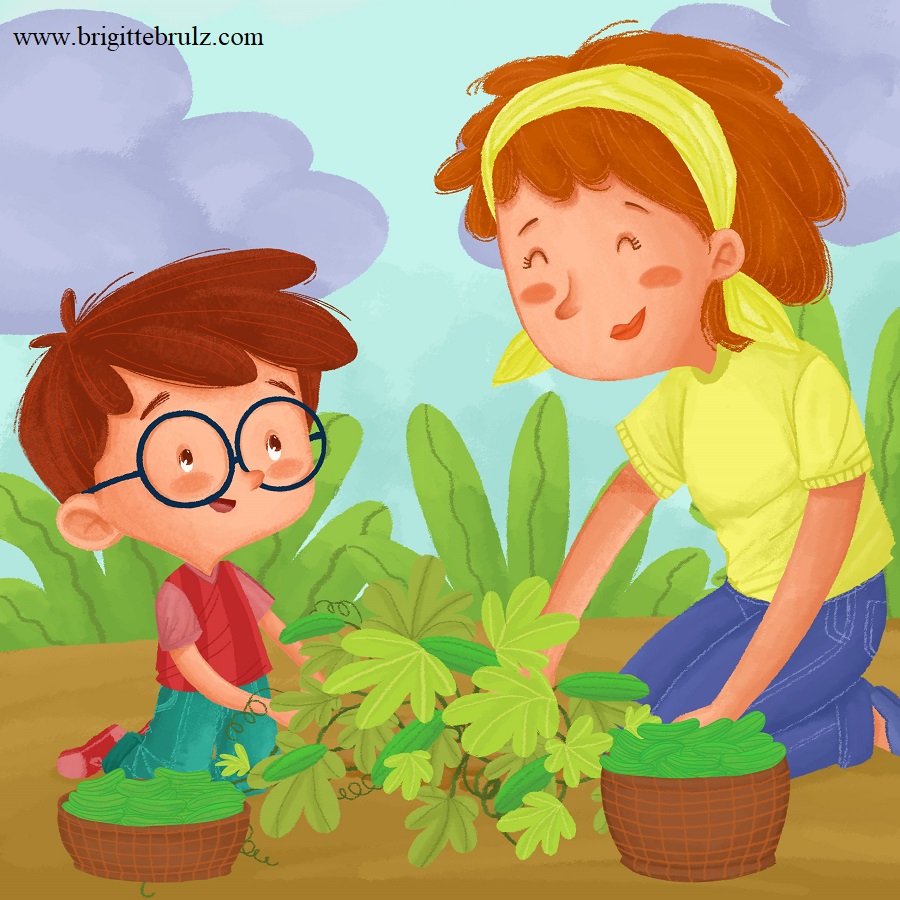
I am continuing to work on the book entitled Pickles, Pickles, I Like Pickles. I am really excited to say that I received all 20 colored illustrations for the book today. I think the illustrations turned out beautifully, although there are a few that will require minor changes. My wish is that these illustrations will be enjoyed by all of the adults and children who read Pickles, Pickles, I Like Pickles. Below is an illustration for you to preview.

Pickles, Pickles, I Like Pickles...picking cucumbers

Stay tuned for more information. Have a wonderful day!

Pickles, Pickles, I Like Pickles

Pickles, Pickles, I Like Pickles Illustrations

Once I finished my “dummy” of Pickles, Pickles, I Like Pickles, I decided it was time to hire an illustrator. I really liked the illustrations that were created for Jobs of a Preschooler, and since I am looking for a similar style of illustrations for Pickles, Pickles, I Like Pickles, I decided to hire the same illustrator, Winda Mulyasari (listed as Winda Asimetri on Jobs of a Preschooler). I contacted her to see if she would be willing to do more illustrations for me. Once she agreed, I sent her details for all twenty illustrations needed for Pickles, Pickles, I Like Pickles.

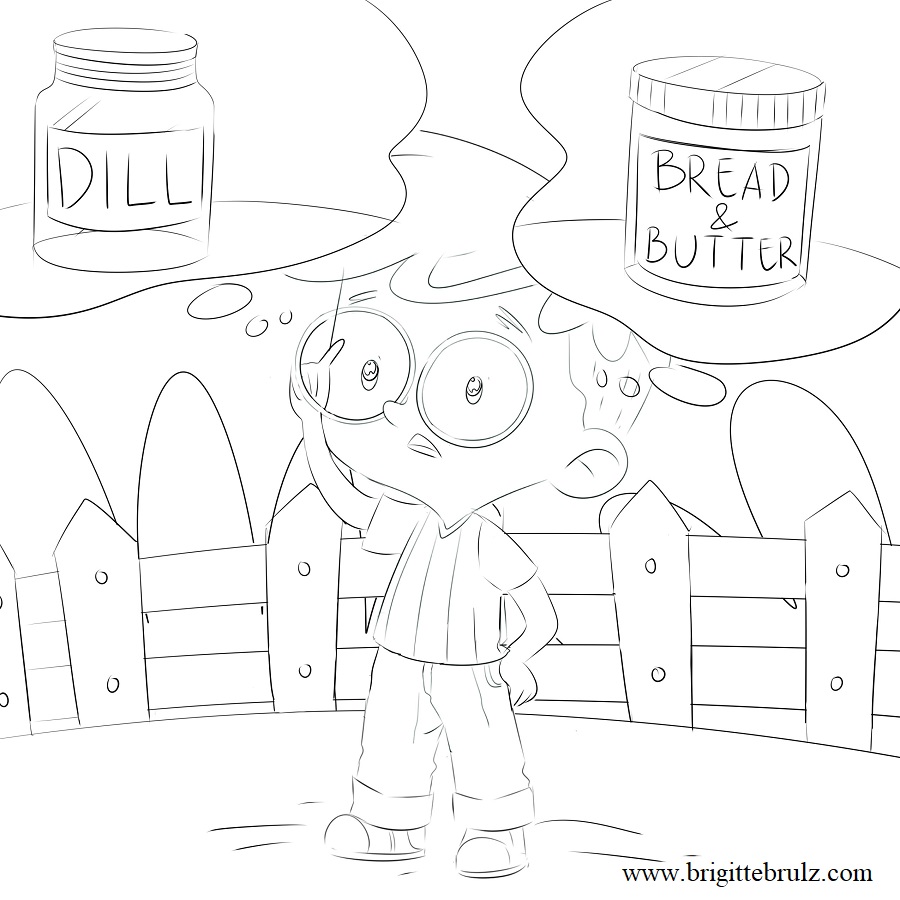
I did not give Winda specific details on how I wanted the main character in the book to look. Instead, I just told her that the main character is a young boy.  She sent me sketches, and (again) I am very happy with her work. Here is a sample of a sketch for an illustration that will be included in Pickles, Pickles, I Like Pickles:

Pickles, Pickles, I Like Pickles...dill or bread & butter?

I decided to create a new “dummy”. To do this, I typed the words for Pickles, Pickles, I Like Pickles in an 8.5″x8.5″ template making sure to insert the words on the appropriate pages. Then, I inserted each of the sketches on the pages where they belonged. Just as when I had created the first dummy, I noticed that some of the words needed to be edited to fit the pictures better. I am very eager to see all of the completed illustrations in color, which I should receive from Winda within the next couple of weeks. Stay tuned for more posts about Pickles, Pickles, I Like Pickles and to find out when it will be published.

Have a wonderful day!


Pickles, Pickles, I Like Pickles

Pickles, Pickles, I Like Pickles Dummy

I am in the process of publishing my next book entitled Pickles, Pickles, I Like Pickles. Before contacting an illustrator to draw the pictures for this book, I created a “dummy” so that I knew how the book would be laid out and what pictures I would need.

To create my dummy, I first typed and printed all of the words that will be included in the book. I made sure to put enough space between the sentences, and I cut the sentences into strips. Then, I cut computer paper into 8.5″x8.5″ squares since that is the size that the book will be once printed – I wanted to make sure I had an accurate idea of how much space the pictures and words would take on each of the pages. On the first three pages, I wrote “title page”, “copyright page”, and “dedication page”. Then, I began taping the various sentence strips on to the pages in the book where I thought they would fit and look best. Since I used tape, I was able to move them around as I saw fit. Some of the wording didn’t seem to flow well when I put it together, so I changed or deleted those words to make it sound better. Once I had the word strips in place, I went through the book and tried to imagine what pictures would look best for the particular words on each page. I wrote (not drew) my “picture ideas” on sticky notes and stuck them on each page, so that I could move them around if I wanted.  Then, I consulted my “team” (AKA my daughters) to get their opinions on if the words and picture ideas seemed to flow well together. Once we were satisfied with the look of the interior of the dummy, I finished it off with a front and back “cover” (cardboard cut to size).

Once I had my dummy completed, I felt I was ready to move on to hiring an illustrator to create the various pictures that I had envisioned.  Stay tuned for information about the illustrations of Pickles, Pickles, I Like Pickles.


Pickles, Pickles, I Like Pickles

Creating My Own Font Part 2

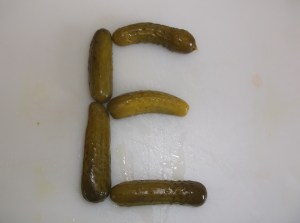
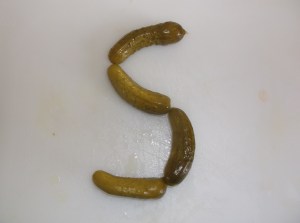
If you have read my post entitled Creating My Own Font Part 1, then you know that I was hoping to create a pickle-shaped font to spell the word PICKLES. After much trial and error, my daughters and I finally created our own letters using pickles placed on a cutting board. Below are a couple of samples from our pickle photo shoot.
Once I had these pictures, I opened each of them separately in Paint on my computer. I have had very little experience with Paint – I honestly didn’t even know I had it on my computer until I discovered it a few months ago during the process of creating Jobs of a Preschooler. Needless to say, I have done a lot of research, read a lot of information, and watched a few videos to acquaint myself with the program. All I can say is that I am still learning!

Through my research, I have learned that pictures must be 300 dpi in order to print well in the book. Please don’t have me explain what exactly that means – all I know is that dpi stands for dots per inch, and I need 300 of those dots per inch for picture quality. Anyways, I discovered that each of my pictures was only 96 dpi (by going to File and then clicking Properties), which is much less than what I need. When I saw this, I felt quite discouraged because I didn’t know if it would be possible to change the dpi. I played around with my camera for a little bit trying to see if I could change the dpi on that somehow. As I said, I don’t understand all of the technical parts very well, so I’m not sure if that was really even worth looking at. I didn’t find anything to change on my camera, so I began searching “turning pictures into 300 dpi” online.

I found a lot of information for turning pictures into 300 dpi on programs that I do not have. Eventually, I found a tutorial that showed me how to convert pictures into 300 dpi using Paint. Since each letter was a separate picture, I had to format each one individually. I am really hoping that this was worthwhile and that all of the letters will actually turn out well because I have found conflicting statements that say the clarity will remain the same even once the dpi has been changed. I guess I will have to wait until the first proof of the book is printed to see if the letters are as clear as I would like.

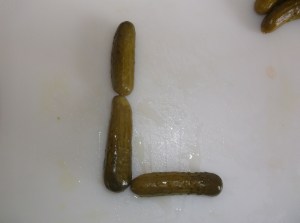
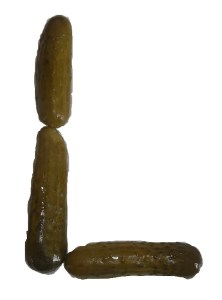
Once I changed them all to 300 dpi and saved them (using Save As), I still had a bunch of pictures of pickles on a cutting board, which doesn’t create a good font. After much experimentation, I was able to remove the cutting board from the letters and crop the pictures to create each letter the way that I wanted it to appear. Here are a couple of examples of the same letters I showed you above after I edited and cropped them.
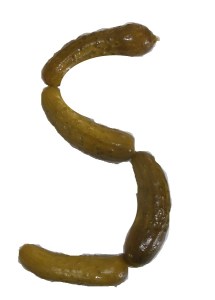
Letter S made with pickles

Letter L made with pickles

After doing this with each letter, I went into the writing program that I have on my computer and inserted each of the updated pictures individually into the document. I wrapped the pictures as “square” and moved them together to create the word PICKLES. Once they were in the position that I wanted them in, I clicked on each of them and grouped them together to form one complete word instead of 7 separate letters.

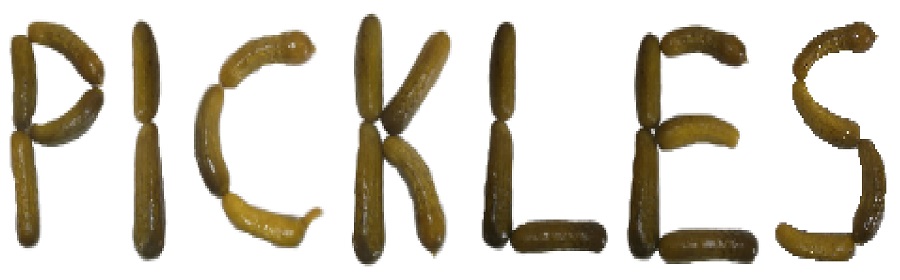
Here is the end result of the word PICKLES:

There may have been an easier way to do all of this, but this is how I created my own pickle-shaped font. Now, I will have to figure out how to insert it into the book correctly. I am eager to see how PICKLES will show up once printed in the book. Hopefully, it will turn out well because if it doesn’t, I am not sure what my next option will be.

Have a wonderful day!

Pickles, Pickles, I Like Pickles

Creating My Own Font Part 1

For Pickles, Pickles, I Like Pickles, I really wanted a font that looked like pickles to spell the word PICKLES, but I wasn’t sure where or how I would be able to do that. I researched “pickle font”, but I didn’t have much luck finding exactly what I had envisioned.

Through some more research, I found a website called Calligrapher that allows people to create fonts using their own handwriting. My daughters and I experimented with this site for quite some time, and now I have my daughters’ handwriting saved on my computer as a font, which I think is really neat. Unfortunately, even though we had a lot of fun playing with the website creating our own handwriting fonts, I still wanted something that looked like pickles. Since my handwriting doesn’t naturally take on the appearance of pickles, I thought I would try to draw pickles into different letters. Well, I am not an artist…drawing pickle-shaped letters into little boxes proved to be a frustrating challenge for me. I just couldn’t get those little pickles to look like actual pickles!

After unsuccessfully drawing pickle-shaped letters, I decided I would use some actual pickles for a “pickle photo shoot”. My daughters and I experimented with a variety of pickles, but in the end we all agreed that the little whole pickles looked the best as letters. Although we got a little sticky, we had fun finding the perfect pickles to create the various letters to spell the word PICKLES. We arranged the pickles into each individual letter (P-I-C-K-L-E-S) on a white cutting board so that I could take a few pictures of each of them using my digital camera. Once we had a picture worth keeping for the letter, we moved on to assembling the next letter.  Here are a couple of pickled letters:

Once I had the pictures of pickle-shaped letters, I had to figure out how to format and edit them to spell out the word PICKLES so that it could be inserted into the book. Stay tuned for more information on how I turned the pictures into this:

PICKLES written using pickles

Disclosure: A few pickles were harmed (eaten) during the photo shoot. (Update: Click here to read Creating My Own Font Part 2)